When a hard drive becomes damaged or inaccessible, it’s easy to panic. Most users try to act quickly in hopes of recovering their files—but well-meaning attempts often make things worse. In fact, some common actions can cause permanent data loss, even when recovery was still possible.
To help you protect your valuable data, here are five critical mistakes to avoid when dealing with a potentially failing hard drive or storage device.
❌ 1. Don’t Keep Powering It On and Off
If your device isn’t booting, repeatedly restarting it won’t fix the issue. This constant powering on and off can worsen internal damage—especially in the case of a mechanical failure.
⚠️ Each reboot risks scratching the platters or damaging the read/write heads further.
Instead, power down the drive immediately and seek professional help to avoid irreversible harm.
❌ 2. Don’t Run Data Recovery Software Without Understanding the Issue
There are many DIY data recovery tools online—but using them blindly on a failing drive can lead to overwriting the very data you’re trying to recover.
These tools are only safe for logical failures, like accidental deletions or mild file system corruption. If the drive is making noises, running slowly, or failing to mount, skip the software and call a professional.
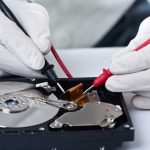
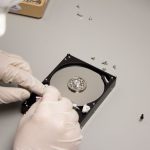
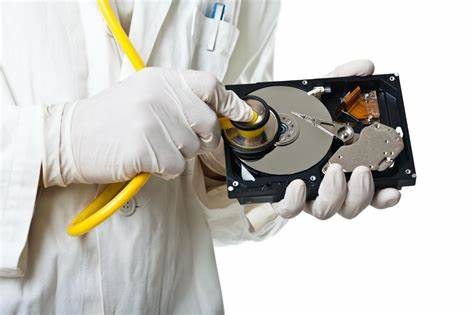
❌ 3. Don’t Open the Hard Drive
This one’s simple: never open a hard drive at home. Those platters and internal components are extremely sensitive to dust, moisture, and static.
Professional recovery labs use certified cleanrooms (ISO Class 5 or higher) to safely open and work on drives. Even a single dust particle in your living room can destroy the disk surface and make recovery impossible.
❌ 4. Don’t Attempt “Freezer Fixes” or Heating Tricks
You may have seen hacks recommending placing a failed hard drive in a freezer or using a hair dryer to “fix” stuck components. These are myths—and they can do serious damage.
🧊 Freezing can cause condensation inside the drive, leading to corrosion or short circuits.
🔥 Heating can warp components or destroy circuitry.
While these tricks may have worked decades ago in rare cases, modern drives are too complex and sensitive for such experiments.
❌ 5. Don’t Format or Rewrite the Disk
Even if the operating system prompts you to “format the disk” to make it usable again—don’t do it. Formatting wipes the file system structure, making data recovery much more difficult, and in some cases, impossible.
Likewise, avoid copying new data onto the drive. This can overwrite sectors that still contain recoverable information.
Final Thoughts: Prevention Is Key, But Caution Is Critical
Hard drives can suffer from both physical and logical failures, ranging from mechanical issues (damaged read heads, motor failure) to corruption or accidental formatting. The good news is that in most cases, data recovery is still possible—as long as you don’t make the situation worse.
If you suspect a drive has failed:
-
Stop using it immediately
-
Avoid DIY fixes unless you’re 100% sure the failure is logical
-
Contact a certified data recovery professional
By avoiding these five common mistakes, you significantly increase your chances of successful data recovery—and save yourself time, money, and heartbreak in the process.